Use FengSui
SMS
Send and receive router SMS messages in the web console, Telegram, or AI agents, and how messages are stored.
With a SIM card inserted, the router can send and receive SMS messages. FengSui organizes them into threads, lets you copy verification codes with one click, and can forward them to Telegram.
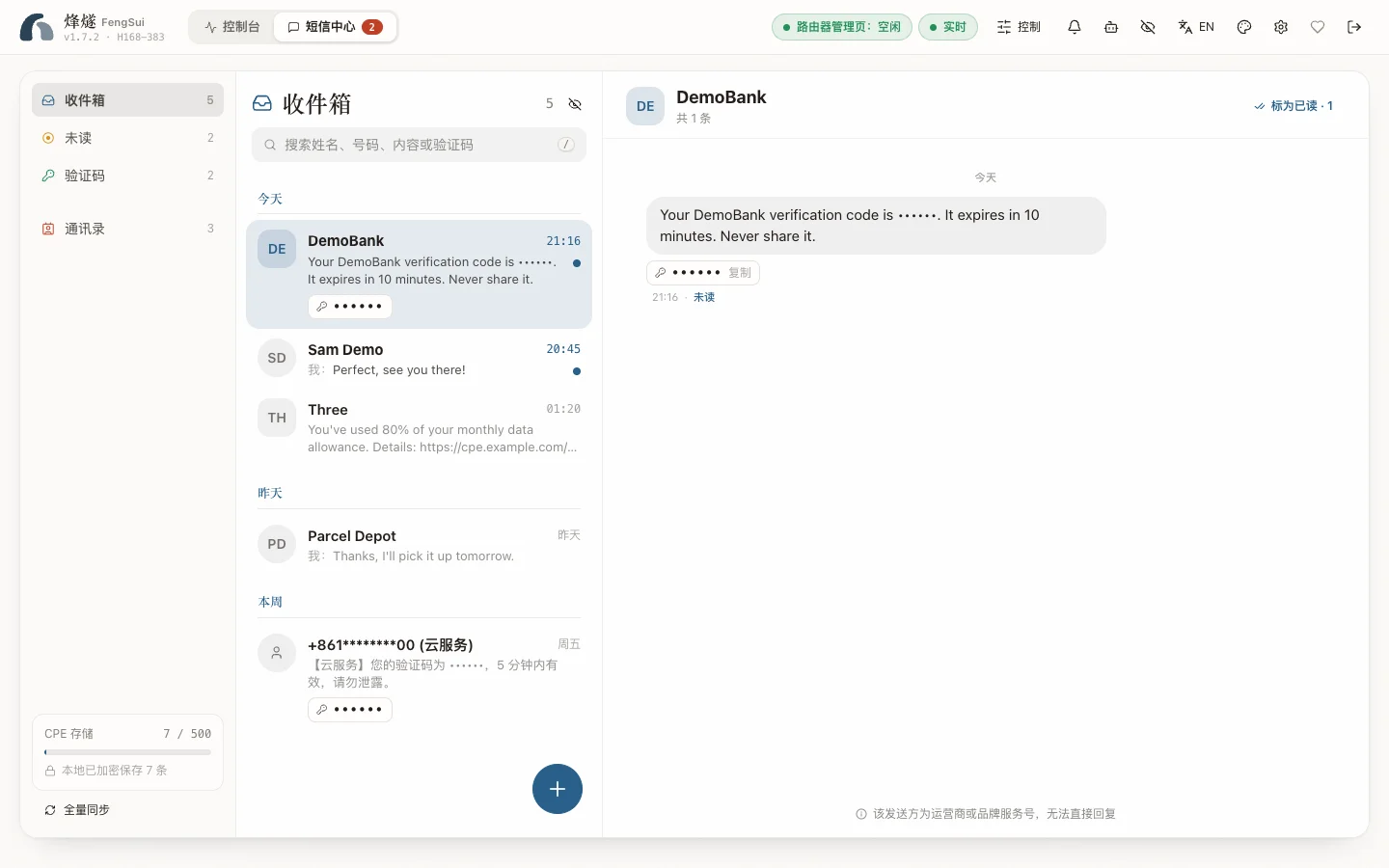
Receive messages
FengSui reads the router's SMS count every 5 seconds, syncs only when there are new messages, and performs a full reconciliation every 30 minutes. On initial launch, existing messages on the router are treated as history and do not trigger notifications.
- Threads: The same number (whether formatted as
0831234567or+353831234567) is grouped into one conversation thread, sorted chronologically. - Verification codes: Automatically detected and copied with a single click.
- Multipart messages: Multi-segment messages received in parts are merged into a single display.
- Privacy toggle: The eye icon in the header can hide both numbers and message bodies, useful for screenshots or screencasting.
Send messages
Click "New message", select a country, enter a phone number or contact name, and compose your message. Before sending, the console shows the encoding (GSM-7 or UCS-2) and the number of segments; each message can have up to 4 segments, and you can send to up to 5 recipients at once.
Country code: Local numbers without a leading + are completed using the default country. The default country is derived from the country of the router's SIM card (for example, an Irish SIM card maps to +353), or can be fixed with DEFAULT_COUNTRY_CODE in .env. If FengSui does not yet know the country, it requires you to enter a full international number or select a country manually; it never guesses.
"Submitted to the router, status unconfirmed": When the router accepts the message but does not report the delivery status within the expected window, this amber status is displayed. The message was likely sent already; do not resend.
Note
SMS messages are billed by your carrier, and you are responsible for message content. FengSui test suites never send SMS messages to real numbers.
Mark as read and delete
Within a thread, you can mark messages as read or delete them. Deleting removes the message from both the router and local storage. When SMS_AUTO_MARK_READ=true is set, newly forwarded messages are automatically marked as read on the router.
Contacts
Contacts let threads display names instead of phone numbers. You can add them manually or import a .vcf file exported from your phone (importing thousands takes only seconds).
When someone logs in to the router's own web page
While someone is logged in to the router's own web page, send, mark as read, and delete requests are rejected (with a notification that someone is using the router). Sync pauses and only checks for new messages via an unauthenticated endpoint; full synchronization catches up automatically after they log out.
Where SMS messages are stored
SMS messages and contacts are encrypted with your DATA_ENCRYPTION_KEY and saved in data/sms.json and data/contacts.json. Each message is identified by a random ID containing no phone numbers. When router SMS storage fills up, FengSui triggers SMS_STORAGE_HIGH / SMS_STORAGE_FULL alerts to remind you to clean up.
To send and receive SMS messages in Telegram, see Alerts and notifications; to let AI agents read messages, see AI agents (MCP).